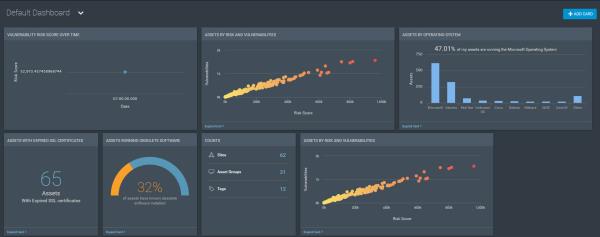
Dashboards are personalized views into your environment that can be customized to focus on the information you care about. Dashboards are powered by the Rapid7 Insight platform and allow you to explore all of your vulnerability management data in one place. They also include pre-packaged analytics that answer security questions for you without exploration. Dashboards are made up of data cards that explain your security data in simple ways.
With dashboards, people in different roles can quickly gain insight into the data and trends based on the information important to them.
For example, a CISO can track at a glance whether the organization is improving from yesterday to today, or over three months. A member of the remediation team can quickly see which needed remediations will most greatly reduce risk in the environment.
You can navigate back and forth between your on-premise Nexpose console and the dashboard powered by the Rapid7 Insight Platform. Dashboards give you the big picture of the status of your environment, and on trends over time. Cards in your dashboard give you an overview of a situation, and you can expand and filter the data to focus in on specific subjects of interest. You can create custom cards and add them to new dashboards. You will be automatically logged into the dashboard, and your data will be based on the assets and information to which you have access in Nexpose.
To enable access to Nexpose dashboards, several conditions must be in place:
If the feature is enabled, you can access dashboards by clicking the dashboard icon  in the left navigation menu in Nexpose.